

TikTok ads are no joke. With over 2 billion global users, TikTok has become one of the most powerful platforms for capturing attention, shaping trends, and driving real revenue.
Eddie Yoon, Senior Director of Paid Media at NP Digital, puts it clearly:
“Businesses ignoring TikTok are missing out on the biggest attention-grabbing platform in digital marketing today.”
But with millions of brands competing for visibility, simply running ads isn’t enough. To win, you need to master TikTok Ads Manager—from campaign setup to creative testing, targeting, and optimization.
In this guide, you’ll discover 10 proven, practical tips to help you dominate TikTok Ads Manager, increase conversions, and maximize ROI.
Key Takeaways
-
TikTok Ads Manager gives full control over ad creation, targeting, and performance tracking.
-
Authentic, smartphone-style content consistently outperforms polished studio ads.
-
Spark Ads and user-generated content drive higher trust and conversions.
-
Tracking deeper metrics like hook rate and engagement velocity leads to faster scaling.
-
AI tools inside TikTok Ads Manager can dramatically speed up creative testing.
Who Should Use TikTok Ads?
TikTok is no longer just for Gen Z.
According to industry data:
-
36% of Millennials
-
23% of Gen X
actively make purchases on TikTok.
Industries seeing strong results include:
-
E-commerce
-
Finance
-
SaaS
-
Education
-
Mobile apps
-
B2B services
TikTok rewards authenticity, creativity, and speed—not perfection. If your brand is willing to test quickly and adapt, TikTok Ads Manager can become one of your most profitable marketing channels.
Steps for TikTok Advertising Success
TikTok advertising isn’t about perfection—it’s about rapid experimentation. The brands that win:
-
Test multiple creatives weekly
-
Track engagement beyond clicks
-
Adapt quickly to trends and data
Let’s break down the 10 proven tips that make TikTok Ads Manager work.
Tip #1: Get to Know TikTok Ads Manager
TikTok Ads Manager is your central dashboard for everything advertising-related.
From one interface, you can:
-
Create and launch ad campaigns
-
Build ad groups and targeting rules
-
Upload creatives and captions
-
Track performance with real-time analytics
TikTok uses a bidding system with minimum budgets:
-
$50/day at the campaign level
-
$20/day at the ad group level
To get started:
-
Visit TikTok for Business
-
Click Get Started
-
Enter business details and payment info
-
Wait for approval
Recent updates include:
-
Improved analytics dashboards
-
AI-assisted ad creation tools
-
New interactive ad formats
These features make TikTok Ads Manager easier—and more powerful—than ever.
Tip #2: Create Campaigns with Clear Objectives
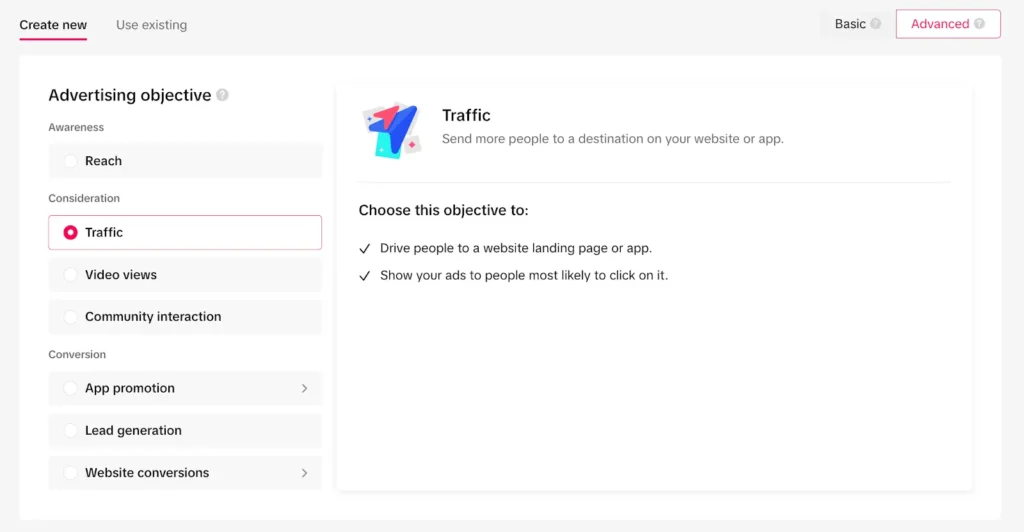
Inside Ads Manager, click Campaign and select your goal:
-
Traffic
-
Conversions
-
App installs
-
Lead generation
-
Brand awareness
Your objective determines how TikTok optimizes delivery. Always align it with your business goal.
Once selected:
-
Name your campaign
-
Set a daily or lifetime budget
-
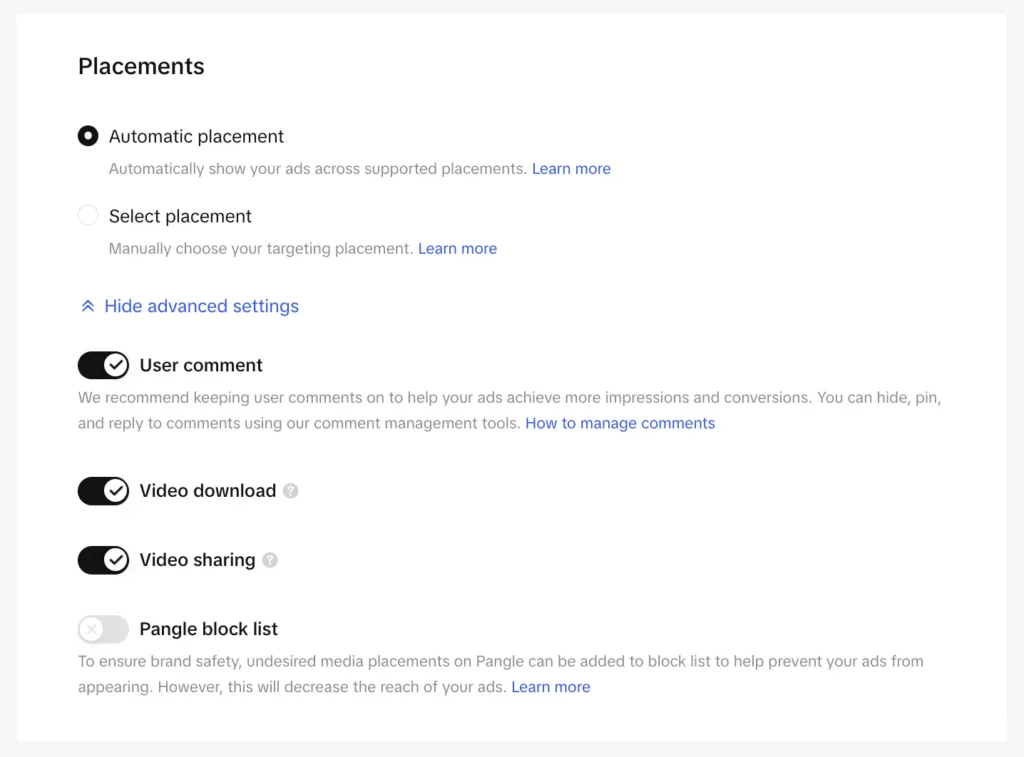
Configure ad groups (targeting, placements, bids)
⚠️ Important: Once launched, campaign budgets cannot be edited until your ad is active. Always double-check before publishing.
Tip #3: Choose the Right TikTok Ad Types
Running the same ad format repeatedly causes fatigue. High-performing brands constantly rotate formats.
Best TikTok ad types to test:
-
Product demos – show real use cases
-
User reviews (UGC) – build trust
-
Tutorials – educate while selling
-
Tips & hacks – fast value delivery
Testing multiple formats helps you identify what resonates most—and scale faster.
Tip #4: Use Creative Elements to Stand Out
TikTok ads must capture attention in the first 3 seconds.
Best practices:
-
Keep ads under 15 seconds
-
Show your product immediately
-
Use trending audio or voice-overs
-
Add text overlays for clarity
TikTok is sound-driven. As Eddie Yoon notes:
“TikTok acts like Spotify as much as Instagram—audio drives engagement.”
In-feed ads that blend naturally into TikTok content consistently outperform overly promotional ads.
Tip #5: Test Spark Ads for Authentic Reach
Spark Ads allow you to promote existing TikTok posts—either from your brand or creators (with permission).
Why Spark Ads work:
-
Engagement stays on the original post
-
Builds instant social proof
-
Feels organic and trustworthy
Brands using Spark Ads often see higher CTRs and lower CPAs because users trust real people more than polished ads.
Tip #6: Refine Targeting for Maximum ROI
TikTok Ads Manager offers advanced targeting options:
-
Age & gender
-
Location
-
Interests
-
Device type
-
User behavior
Precise targeting reduces wasted spend and improves performance. Start broad, then narrow based on data.
TikTok’s algorithm optimizes delivery over time—giving preference to audiences most likely to engage.
Tip #7: Use Data-Driven Hashtags
Hashtags increase discoverability—but only if used strategically.
Best approach:
-
Analyze competitors
-
Monitor trending hashtags daily
-
Test quickly and track engagement velocity
-
Double down on fast-performing tags
Brands that iterate hashtags weekly consistently see better reach and engagement.
Tip #8: Create High-Quality, Authentic Graphics
Surprisingly, low-fi smartphone videos outperform studio ads.
Across thousands of TikTok business accounts:
-
34% more likes
-
18.5% more comments
-
11.4% higher conversions
Tips:
-
Use a smartphone
-
Enable “Upload HD”
-
Focus on clarity, not perfection
-
Highlight the product in the first 3 seconds
Authenticity wins on TikTok—every time.
Tip #9: Optimize CTAs and Voice-Overs
Your CTA must be:
-
Short
-
Clear
-
Action-oriented
Examples:
-
“Shop Now”
-
“Download Today”
-
“Get Started”
Voice-overs are equally powerful. Combine:
-
Conversational tone
-
Clear narration
-
Supporting on-screen text
Never overload viewers—balance is key.
Tip #10: Track the Right Metrics & Use AI Tools
Clicks alone don’t tell the full story.
Key TikTok metrics to track:
-
Hook rate (first 3 seconds)
-
Repeat view rate
-
Sound-on engagement
-
Engagement velocity
-
Share rate
TikTok’s AI tools (like Symphony) help you:
-
Discover trends
-
Generate ad scripts
-
Analyze top-performing ads
-
Speed up creative testing
AI gives you an edge—use it.
FAQs
How much do TikTok ads cost?
TikTok requires a minimum daily spend of $50 per campaign and $20 per ad group. Costs vary based on targeting and competition.
Which TikTok ad format is best for beginners?
In-feed ads and Spark Ads are ideal—they’re simple, effective, and feel native.
Can non-ecommerce brands succeed on TikTok?
Yes. SaaS, finance, education, and B2B brands are all seeing strong ROI.
Conclusion
TikTok Ads Manager is one of the most powerful advertising tools available today—but only if you use it correctly.
Success on TikTok comes from:
-
Authentic content
-
Rapid testing
-
Smart targeting
-
Data-driven optimization
Brands that embrace creativity, leverage AI tools, and track meaningful metrics consistently outperform competitors.
Follow these 10 proven tips, and TikTok Ads Manager can quickly become one of your highest-ROI marketing channels.